Base conversion moves a number between two bases without changing its value. The integer part and the fractional part are converted by separate methods, then joined with a radix point.
To go into a base from decimal, use repeated division (integers) or repeated multiplication (fractions). To go out of a base into decimal, use positional expansion — multiply each digit by its place value and sum.
Decimal to base — integer part
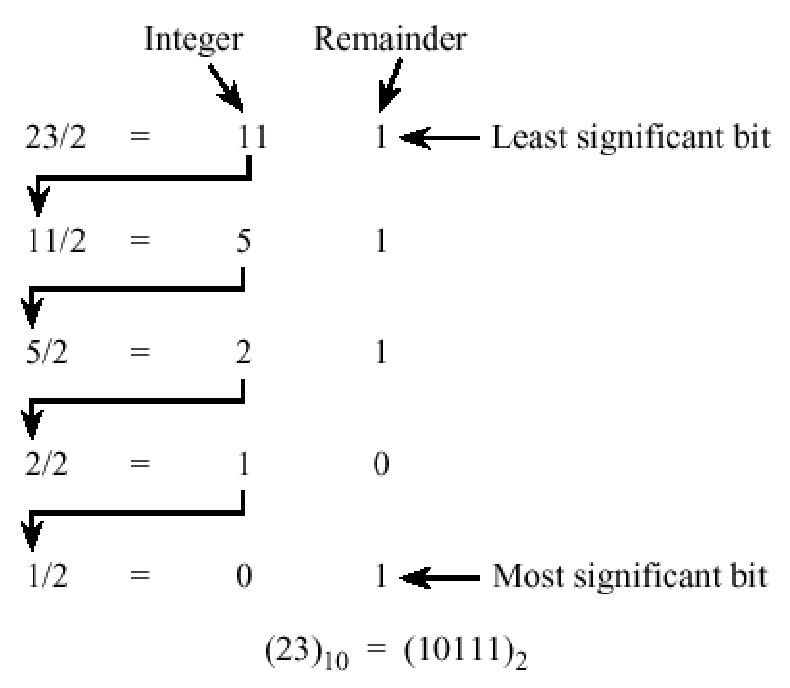
Repeatedly divide by the target base. Record the remainders at each step. When the quotient hits zero, read the remainders bottom to top for the converted integer.
Why this works: the first division pulls out the digit at position (the LSB), the second pulls out the digit at position , and so on. You’re peeling the number apart one place at a time.
Converting to binary:
23 ÷ 2 = 11 r 1     ← LSB
11 ÷ 2 =  5 r 1
 5 ÷ 2 =  2 r 1
 2 ÷ 2 =  1 r 0
 1 ÷ 2 =  0 r 1     ← MSB
Reading bottom-up: .
Same procedure works for any base. To convert to base :
56180 ÷ 20 = 2809 r  0
 2809 ÷ 20 =  140 r  9
  140 ÷ 20 =    7 r  0
    7 ÷ 20 =    0 r  7
So .
Decimal to base — fractional part
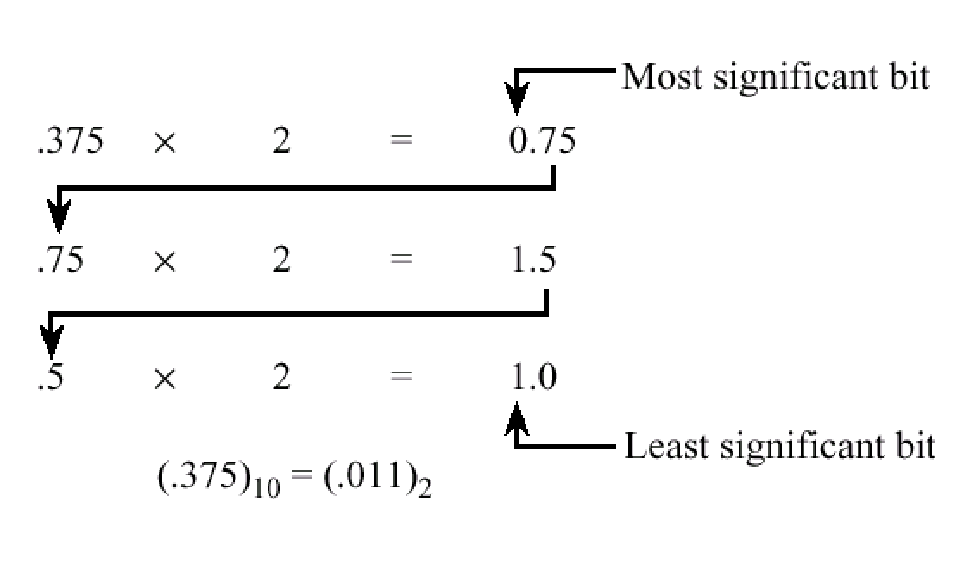
Repeatedly multiply by the target base. After each multiplication, the integer part is the next digit of the result (read top-down), and the fractional part is what you carry into the next multiplication. Stop when the fractional part reaches zero, or stop early once you have enough digits since many fractions don’t terminate.
Converting to binary:
0.375 × 2 = 0.75   → 0
0.75  × 2 = 1.5    → 1
0.5   × 2 = 1.0    → 1
Reading top-down: .
Combining: .
Non-terminating example: never terminates in binary. After six multiplications you’re at — truncate or round depending on the precision you need.
Base to decimal
Just expand the place values:
Example. .
Between two power-of-2 bases — binary shortcut
Converting between binary and any base doesn’t require a detour through decimal. Group the binary digits in chunks of , then map each chunk to the equivalent digit in the larger base. Going the other way, expand each digit of the larger base to its -bit binary equivalent.
Hex uses . Octal uses .
Hex to binary, replacing each digit with its 4-bit pattern:
FEAE = F    E    A    E
     = 1111 1110 1010 1110
Binary to octal, grouping every bits from the radix point outward:
1100101 = 1 100 101
        = 1  4   5
So .
This shortcut exists because digits map cleanly onto binary digits, with no carries between groups. It does not work for converting between, say, base and binary; there’s no clean alignment.